Built by a solo developer
Hi, I’m Timothy Murphy, the one-person team behind LunoDB. I’m constantly working to make it better for developers like you.
Building the database tool I always wished existed.
My mission is simple: a database client that combines power with simplicity, so managing data is easy and enjoyable for developers of every skill level.

Too complex, or too limited. So I built my own.
LunoDB grew out of frustration with database tools that were either overly complex for simple tasks or too limited for real work. I built it to bridge that gap: a client that’s intuitive, powerful, and actually enjoyable to use.
As a full-stack developer working on e-commerce platforms and web apps, I spent countless hours switching between database tools, each with its own quirks. I knew there had to be a better way.
So I set out to build the tool I wished existed, using Electron and React to make it fast and cross-platform from day one.
I’m a full-stack web developer with over a decade of experience building and scaling online businesses. I focus on smooth user experiences and solid backend systems, from technical builds to analytics and optimization, and I love solving hard problems with simple solutions.
Your databases, in your pocket
The most requested feature since launch? A mobile version. Developers kept asking, “Can I check my database while I’m away from my desk?” Now you can.
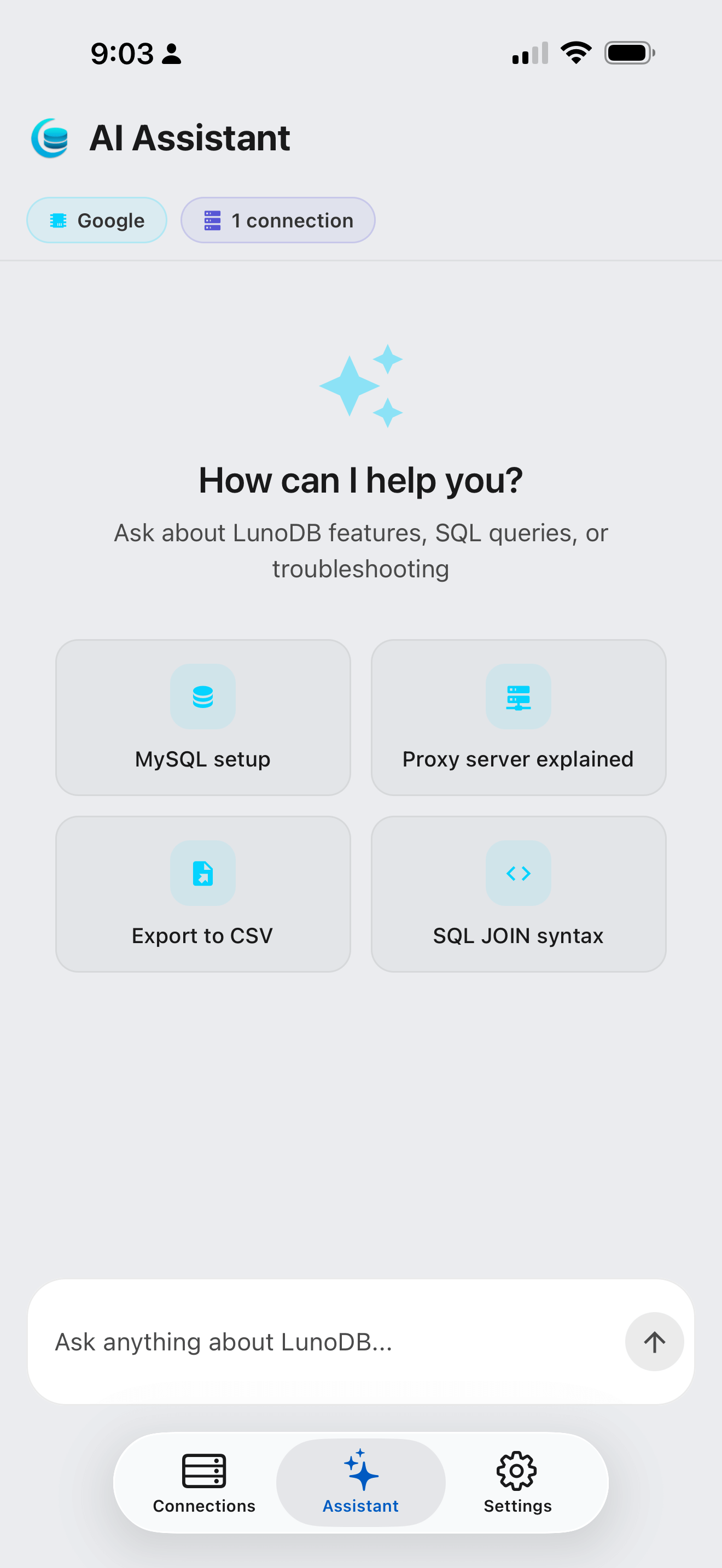
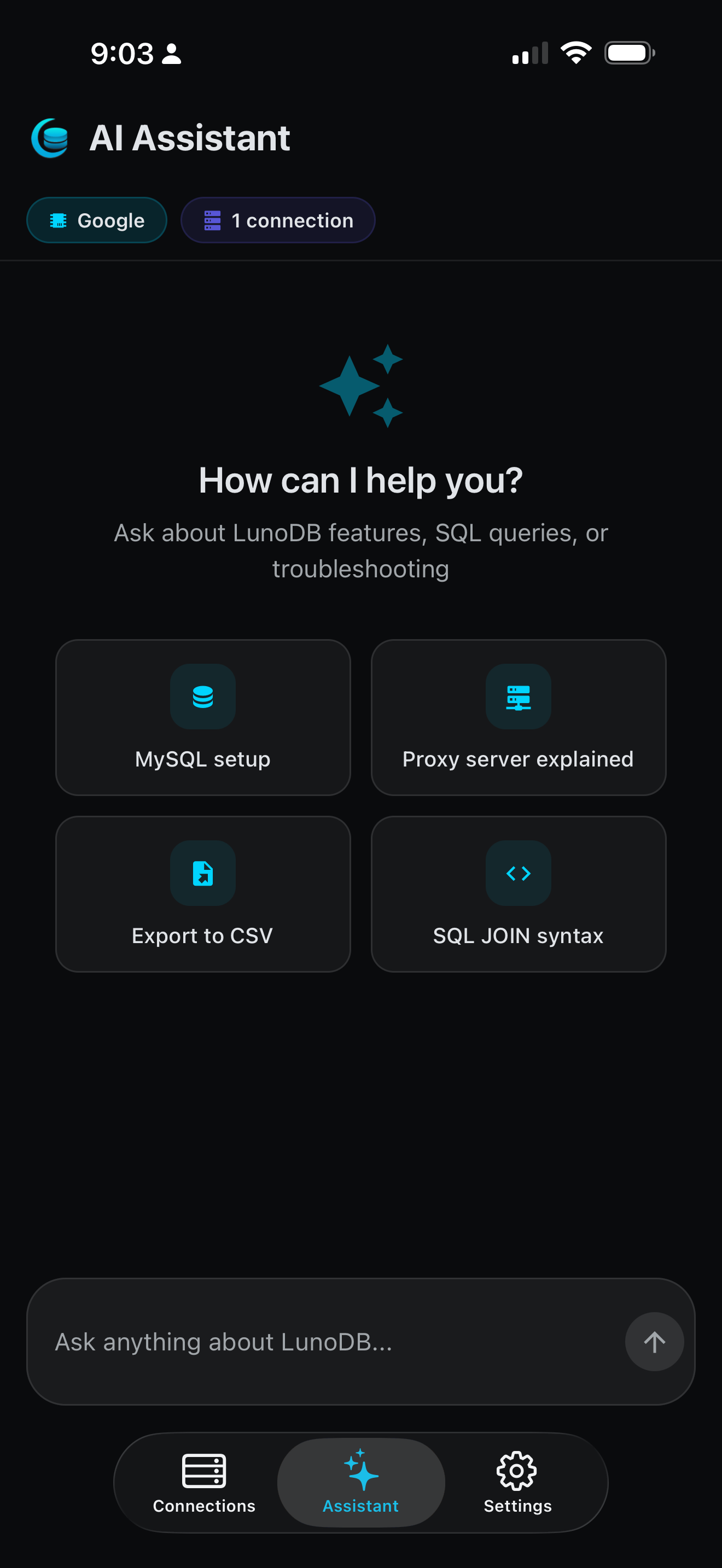
LunoDB Mobile is live on the App Store. Write SQL with AI, browse tables, edit data and see charts, all from your phone. And it’s completely free: no subscription, no in-app purchases.

From first commit to LunoDB 2.0
- Late August 2025Late August 2025
Development begins
Fed up with clunky database tools, I started building LunoDB from scratch. The goal: a database client that’s powerful yet intuitive.
- September 13th, 2025September 13th, 2025
v1.0 launch
MILESTONEJust 2 weeks after starting, LunoDB v1.0 launched with MySQL, PostgreSQL and SQLite. SSH tunneling, query history and cross-platform from day one.
1 follow-up update
- v1.0.1September 15th, 2025
Improved PostgreSQL support, offline license validation, and better compatibility across all database types and operating systems.
- September 17th, 2025September 17th, 2025
v1.1 · Full database exports
Export entire databases with progress tracking, create new databases, and enjoy automatic updates that keep the app current.
- September 20th, 2025September 20th, 2025
v1.2 · Safer editing
Hide the sidebar when you need more space, search connections easily, and edit safely with primary key validation and change previews.
1 follow-up update
- v1.2.1September 21st, 2025
Faster performance with large tables, better SQL autocomplete, and more reliable tab management.
- September 21st, 2025September 21st, 2025
v1.3 · Big tables, smoother
Major performance boost when working with tables that have many columns or large amounts of data. Editing and scrolling are smoother.
- September 25th, 2025September 25th, 2025
v1.4 · Database expansion
MariaDB, MongoDB, SQL Server and Redis arrived, along with SQL tabs and easy table creation. LunoDB became a truly universal database client in just 12 days.
1 follow-up update
- v1.4.1September 26th, 2025
Connections are more reliable, you can import huge SQL files without issues, and the SQL editor feels smoother with better cursor behavior.
- September 30th, 2025September 30th, 2025
v1.5 · Users and running queries
Manage your database users, monitor running queries, and use new menu bars with keyboard shortcuts. Export files are now compressed to save space and everything runs faster.
1 follow-up update
- v1.5.1September 30th, 2025
Find your connections faster with search, enjoy a cleaner welcome screen, and experience better performance throughout the app.
- October 3rd, 2025October 3rd, 2025
v1.6 · Themes and keyboard navigation
Customize your editor with themes and font sizes, navigate tables faster with keyboard shortcuts, and work more safely with foreign key visualization and production database warnings.
1 follow-up update
- v1.6.1October 4th, 2025
Keyboard shortcuts work better, filters automatically skip empty fields, and the app is easier to use with clearer button labels.
- October 8th, 2025October 8th, 2025
AI arrives
MILESTONESQL in plain English, AI filters and a chat assistant. Use a cloud provider, or keep everything private with Ollama so your data never leaves your machine.
3 follow-up updates
- v1.7.1October 11th, 2025
This update makes the sidebar resize smoothly, fixes issues with exporting data to MySQL, and adds a handy search feature when exporting your database.
- v1.7.2October 14th, 2025
Your connection now recovers automatically when your network drops, and you'll get warnings before losing unsaved changes when filtering or sorting.
- v1.7.3October 15th, 2025
Find columns faster with search in filters, see your best table matches first, and get smarter SQL suggestions. Better error reporting helps us fix issues faster.
- October 16th, 2025October 16th, 2025
v1.8 · Cancel slow queries
Cancel slow queries instantly, get warnings before querying huge tables without limits, and enjoy 3x faster schema loading. Your work is automatically saved including cursor position and database selection.
1 follow-up update
- v1.8.1October 17th, 2025
Manage SQL tabs more safely, clear the editor with one click, and edit user permissions without writing SQL. Connection recovery is more reliable when network issues occur.
- October 22nd, 2025October 22nd, 2025
v1.9 · Copy, paste and multiple queries
Copy and paste rows with keyboard shortcuts, export query results in multiple formats, and run multiple SQL queries in one editor. Your connections and work are saved automatically, and everything feels faster and more reliable.
3 follow-up updates
- v1.9.1October 23rd, 2025
Your filters and unsaved changes are now saved automatically, even when switching tables or restarting the app. Table tabs show clear indicators when you have unsaved edits.
- v1.9.2October 27th, 2025
Choosing and activating a Pro license is now easier with side-by-side plan comparisons and a detailed welcome popup showing your unlocked features. You'll also get clearer confirmations when deactivating your license.
- v1.9.3October 27th, 2025
See how long your queries take with a real-time timer, track progress when saving changes, and enjoy filters that stay visible when switching tabs. The AI is smarter at understanding which table you're working with.
- October 28th, 2025October 28th, 2025
v1.10 · Data visualization
Let AI make graphs for you, or build your own from any SQL query. Five chart types, custom colors, and graphs saved with your backups.
5 follow-up updates
- v1.10.1October 31st, 2025
Create beautiful graphs and charts from your queries, drag files to import them instantly, and let columns resize automatically to fit your data. MongoDB support is better with improved date handling.
- v1.10.2November 4th, 2025
Copy and paste respects your license, small tables load instantly, and you get a safety confirmation before deleting tables. Database exports now use the right quote style for each database.
- v1.10.3November 5th, 2025
Type in filters without lag, see your exact SQL queries in history, and backup your entire workspace including graphs and layouts.
- v1.10.4November 6th, 2025
Find what you need even with typos using fuzzy search, enjoy smarter reconnection handling that eliminates duplicate prompts, and take control of AI operations with cancellation support.
- v1.10.5November 8th, 2025
Polish and reliability improvements that keep your data accurate and exports clean. This release ensures row counts and storage sizes stay up-to-date, makes exported SQL files more readable and compatible, and streamlines the import experience.
- November 10th, 2025November 10th, 2025
v1.11 · Schema diagrams and more windows
Visualize your database relationships with interactive diagrams you can export, work in multiple workspace windows simultaneously, and enjoy audio feedback for your actions. Keyboard shortcuts automatically adapt to your operating system.
4 follow-up updates
- v1.11.1November 12th, 2025
Faster searching, clearer data display, and smarter connection handling make database work more efficient. This release helps you find what you need quickly and keeps your work safe when switching between sessions.
- v1.11.2November 11th, 2025
Import SQL files with complete error visibility, work with JSON data effortlessly across all database operations, and edit complex data types without losing formatting.
- v1.11.3November 12th, 2025
Navigate with clarity and work with precision. This release enhances visual feedback in the interface and continues our commitment to robust error handling for SQL operations.
- v1.11.4November 12th, 2025
Select smarter, see notifications better. This release improves multi-selection behavior in data grids and refines notification positioning for a more polished experience.
- November 13th, 2025November 13th, 2025
v1.12 · Watch queries run
Watch queries run in real-time, expand large text instantly, and minimize exports to keep working. Get warned before losing unsaved changes, toggle multi-query mode, and enjoy beautiful markdown release notes.
2 follow-up updates
- v1.12.1November 14th, 2025
Better query feedback with row counts and execution times, protection for unsaved changes, and a cleaner interface with top-right notifications. Everything feels more reliable and predictable.
- v1.12.2November 14th, 2025
Export smarter, execute safer, build faster. Major performance improvements to database exports, smarter query execution with primary key checks, and enhanced AI capabilities with GPT-5.1 support.
- November 15th, 2025November 15th, 2025
v1.13 · A better query history
See selected row counts in real-time, view your SQL history with syntax highlighting, and refresh with keyboard shortcuts. Your preferences and connection settings now save automatically.
1 follow-up update
- v1.13.1November 16th, 2025
Polish and precision. Better SQL handling, improved cross-database compatibility, and refined UI controls make this release all about reliability.
- November 18th, 2025November 18th, 2025
v1.14 · Grok joins the AI lineup
Choose from four AI providers including new Grok support, see progress bars in notifications, and compare changes before saving updates. Connections are more reliable, keyboard shortcuts work better, and Linux updates are smoother.
- November 20th, 2025November 20th, 2025
v1.15 · Voice dictation
Speak your queries with voice dictation, create databases instantly, and run multiple SQL statements at once. Add columns faster, enjoy Gemini 3 Pro (Preview) AI support, and experience more reliable connections with better error handling.
5 follow-up updates
- v1.15.1November 20th, 2025
Polish and precision. Right-click menus appear exactly where you click, filters stay active when switching between tables, and reduced lag when working with large datasets.
- v1.15.2November 23rd, 2025
Add indexes to your tables with a visual dialog, export query results to multiple formats, and choose where to save before exporting.
- v1.15.3November 24th, 2025
Scroll through hundreds of databases smoothly, see the exact SQL query executed in table views, and use Claude Opus 4.5 for all AI features. Tabs automatically scroll into view and exports include timestamps for better file organization.
- v1.15.4November 25th, 2025
Load tables on-demand for better performance, check for updates in-app, and enjoy universal copy-to-clipboard. View more query history and experience improved connection reliability.
- v1.15.5November 26th, 2025
Export large databases faster with cursor-based pagination, tables export in the right order based on foreign keys, and databases load automatically in the connection dropdown. Tabs now stay closed when you manually close them.
- November 28th, 2025November 28th, 2025
v1.16 · Easier imports, automatic updates
Clear databases with one click, import compressed SQL files directly, and export diagnostic logs for troubleshooting. Updates now download automatically in the background, and the sidebar shows your active connections at a glance.
1 follow-up update
- v1.16.1November 28th, 2025
Customize your font size for better readability, enjoy smoother tab management with proper restoration and horizontal-only dragging, and see specific error details when saves fail.
- November 30th, 2025November 30th, 2025
v1.17 · Turso and the Pro trial
Connect to Turso databases, try every Pro feature free for 14 days, and see every query in the new Query Log. Drag to reorder connections, with database logos throughout.
1 follow-up update
- v1.17.1December 1st, 2025
Fixed an issue where the start trial button was incorrectly displayed for users who already had an active trial.
- December 1st, 2025December 1st, 2025
v1.18 · Lighter on memory
Smart tab memory management automatically unloads old tabs to reduce memory usage, while keeping your most-used tabs instantly accessible. SQL query results now sort dates and numbers more intuitively, and Windows updates are streamlined with in-app notifications.
1 follow-up update
- v1.18.1December 1st, 2025
Quick polish update with larger sidebar icons for better visibility and improved visual feedback when reordering connections.
- December 5th, 2025December 5th, 2025
v1.19 · Synced windows and a new look
Settings sync instantly across windows, sounds you can tune per event, a better Command Palette, and a cleaner look with new fonts.
7 follow-up updates
- v1.19.1December 5th, 2025
Quick polish update with improved CTE query handling, better UI visibility for chips, and smarter window and connection management.
- v1.19.2December 7th, 2025
Edit your data more safely, keep your workflow smooth when switching connections, and export tables with less hassle. Plus, keep your command palette clean with instant clearing of recent items.
- v1.19.3December 7th, 2025
Faster queries, smarter imports, and better date handling. SQL parsing is more reliable, imports show file sizes, and date columns display the right format automatically.
- v1.19.4December 9th, 2025
Import huge SQL files without memory issues and edit tables that don't have primary keys. Get performance warnings when sorting on slow columns, and enjoy more reliable database operations.
- v1.19.5December 9th, 2025
Connect to databases faster from the File menu and Command Palette. More accurate CREATE TABLE generation for MySQL/MariaDB with foreign keys, collation, and AUTO_INCREMENT values. Smarter exports handle large text columns without memory issues.
- v1.19.6December 15th, 2025
Insert timestamps faster with quick-select options, dismiss dialogs with Enter, and work safely without accidentally closing dialogs. Filters now reset to page 1 automatically.
- v1.19.7December 17th, 2025
A focused maintenance release. Search terms clear when switching connections, the export dialog starts fresh, and cleared SQL queries stay cleared.
- December 29th, 2025December 29th, 2025
v1.20 · More control over AI
New AI models, controls for how deeply AI thinks, and a speed vs. quality setting. Now 8 AI providers, including DeepSeek and OpenRouter.
1 follow-up update
- v1.20.1January 4th, 2026
A minor maintenance release with updated legal documentation to reflect the expanded AI provider support introduced in v1.20.0.
- January 7th, 2026January 7th, 2026
v1.21 · AI analysis tools
AI Data Insights spots patterns in your tables, and AI Query Optimizer suggests ways to speed up your SQL. Plus column statistics.
1 follow-up update
- v1.21.1January 8th, 2026
A maintenance release with pagination and UI fixes. The current page now adjusts correctly when filters reduce results, and disabled pagination buttons have clearer styling.
- January 9th, 2026January 9th, 2026
v1.22 · Faster SQL imports
Import large SQL files faster than ever using your database's native tools, with support for compressed .gz files and the ability to cancel imports mid-way. Plus keyboard navigation for connections and smarter import suggestions.
- January 19th, 2026January 19th, 2026
v1.23 · Desktop to mobile sync
Transfer data to your phone with a QR code, back up and restore databases with password protection, and enjoy smoother workflows with Enter key support in dialogs and exact page navigation.
1 follow-up update
- v1.23.1January 21st, 2026
Edit enum and set fields directly with a dropdown picker. Select from available values, set NULL, or apply defaults - now available in both table view and query results.
- January 30th, 2026January 30th, 2026
v1.24 · Full mobile integration
Graphs, SSH tunnels and Turso databases sync to mobile too, and connections arrive in your custom order.
3 follow-up updates
- v1.24.1February 8th, 2026
Performance improvements for large query results, streaming CSV exports that handle any dataset size, and better Turso mobile transfer support.
- v1.24.2February 8th, 2026
A focused update with a fix for editing filtered query results and smoother performance when selecting and scrolling through large result sets.
- v1.24.3February 9th, 2026
A quick follow-up with smarter sidebar search and a fix for editing primary key columns.
- February 2026February 2026
LunoDB Mobile launches on iOS
MILESTONELunoDB Mobile arrived on the App Store: your databases on your phone, with AI-powered SQL, charts and QR sync from desktop. Completely free.
- February 10th, 2026February 10th, 2026
v1.25 · The newest AI models
The newest AI models, a better mobile export experience, and faster app updates.
4 follow-up updates
- v1.25.1February 12th, 2026
More control when connections drop, and a smoother AI experience.
- v1.25.2February 13th, 2026
Smoother table editing, faster pagination, and MySQL fixes.
- v1.25.3February 15th, 2026
Small polish update. LunoDB now always comes to the front when triggered from the menu or dock.
- v1.25.4February 16th, 2026
Faster table loading, more reliable SSH connections, and several bug fixes.
- February 21st, 2026February 21st, 2026
v1.26 · Feels native everywhere
Native right-click menus, macOS vibrancy, Windows Mica, a refreshed app icon and redesigned connection cards.
2 follow-up updates
- v1.26.1February 21st, 2026
Refreshed branding, updated AI models, and platform polish.
- v1.26.2February 27th, 2026
Redesigned settings, improved index management, and safer data editing.
- April 7th, 2026April 7th, 2026
v1.27 · Smarter private AI
Ollama models can search the web and think more deeply, and your Ollama model list is remembered everywhere.
2 follow-up updates
- v1.27.1May 1st, 2026
New AI models from OpenAI, Anthropic, and xAI, polished connection handling, and clearer MySQL import errors.
- v1.27.2May 19th, 2026
A focused patch release that cleans up reconnection behavior so background connections don't interrupt your work.
- May 22nd, 2026May 22nd, 2026
v1.28 · Fake data and smarter tabs
Fill empty tables with realistic test data in one click, matched to each column. SQL tabs name themselves from your query.
3 follow-up updates
- v1.28.1May 28th, 2026
A focused patch release that makes table tabs paint immediately after reconnecting — no more long loading spinners on the first tab.
- v1.28.2June 8th, 2026
Smoother large query results, freeze-free exports with accurate progress, seamless reconnects, correct binary data in SQL results, and the new Claude Opus 4.8 AI model.
- v1.28.3June 9th, 2026
The brand new Claude Fable 5 model joins the AI lineup, and the latest Claude models now think more deeply for better reasoning across all AI features.
- June 28th, 2026June 28th, 2026
v1.29 · Faster everywhere
Huge tables open right away, the app starts faster with lots of saved connections, and switching connections is rock-solid.
1 follow-up update
- v1.29.1July 20th, 2026
A focused follow-up to 1.29.0 that makes tables open promptly after you switch connections — especially databases you reach through an SSH tunnel.
- August 6th, 2026August 6th, 2026
v1.30 · Saved AI conversations
Save, search, and resume your AI conversations, get exports that match exactly what you asked for, and enjoy a big reliability sweep across every database. Note: on Mac, 1.30.0 now requires macOS 12 (Monterey) or later — Windows and Linux are unchanged.
2 follow-up updates
- v1.30.1August 24th, 2026
A small fix-up release: Run All no longer errors out on queries that match nothing, and success messages are legible again in light mode.
- v1.30.2August 28th, 2026
Drop all tables gets a proper fix-up — it now works on the database you're already connected to, works on SQLite, and stops reporting a failure for a drop that actually succeeded.
- September 9th, 2026September 9th, 2026
v1.31 · AI Assistant upgrades
The AI model lineup is caught up with the latest from OpenAI, Anthropic, and Google, and the AI Assistant gets a round of upgrades — run its suggested queries in one click, pick several tables at once, and see your schema changes the moment you refresh.
- September 14th, 2026September 14th, 2026
v1.32 · A Liquid Glass app icon
LunoDB has a new app icon — the same crescent-and-database mark you know, rebuilt so macOS 26 and later can render it as Liquid Glass, and rendered from the same artwork into a standard icon for every older version. Windows and Linux icons are unchanged.
- September 30th, 2026September 30th, 2026
v1.33 · Docker and company sign-in
Connect to databases running in Docker by typing the container's name, sign in to Claude with your company's identity provider instead of an API key, and see clearly when your year of updates needs renewing — plus a fix for the SQL editor's save window getting stuck open.
- October 17th, 2026October 17th, 2026
v1.34 · Apple Intelligence on the Mac
Use AI on your Mac with no API key and nothing leaving your computer, thanks to on-device Apple Intelligence — plus the latest models from Anthropic, OpenAI, and xAI, and higher effort levels for the models that support them.
- October 22nd, 2026October 22nd, 2026
v1.35 · Faster imports over SSH
Large SQL imports over SSH are now much faster, imports with the MySQL command-line tool work correctly through an SSH tunnel, and LunoDB keeps checking for updates while it's open.
1 follow-up update
- v1.35.1October 22nd, 2026
SQL imports with the MySQL command-line tool now handle more real-world dumps — including binary data and very large rows — and tell you exactly what went wrong when one fails, while exports import cleanly into more tools.
- October 24th, 2026October 24th, 2026
LunoDB 2.0
MILESTONEA ground-up redesign built for speed and simplicity: a new connections home, one filter bar that understands plain English, safer saves, an AI assistant that answers from your data, and passwords protected by your system keychain, in an app about 40% smaller.
1 follow-up update
- v2.0.1October 25th, 2026
Describe the rows you want in the filter bar and LunoDB filters the table for you, with no extra steps.
- October 27th, 2026October 27th, 2026
v2.1
Switching between table tabs is close to instant, and exporting a database is faster, with files that import faster and come back exactly as they went out.
3 follow-up updates
- v2.1.1October 31st, 2026
A small polish release that tidies up the sidebar on Windows and Linux.
- v2.1.2November 1st, 2026
A small fix release so graphs you send to LunoDB Mobile point at the right database, and so you can read what's new while an update downloads.
- v2.1.3November 2nd, 2026
A small fix release so your SSL settings come with your connections when you move them to LunoDB Mobile, and back again.
- TodayToday
100+ releases in just over a year
From zero to a database client with AI, charts, a mobile app, 8 database types, 9 AI providers and 400+ features. Now on desktop and iOS, with Android on the way.
A tool that keeps getting better
Built with modern tools
What’s new lately
A small fix release so your SSL settings come with your connections when you move them to LunoDB Mobile, and back again.
A small fix release so graphs you send to LunoDB Mobile point at the right database, and so you can read what's new while an update downloads.
A small polish release that tidies up the sidebar on Windows and Linux.
Let’s build together
I’m always open to feedback, feature requests and meeting fellow developers. Whether you have an idea for LunoDB or just want to talk tech, I’d love to hear from you.